

Ever forget to renew your membership? ACDA has just launched the ability for members to join auto-renewal so that your memberships will automatically process each year! Here’s how it works:
Who Can Sign Up for Auto-Renewal?
If you are an Active, Retired, Institution, Organization, International, or an Associate member of ACDA, you are eligible to sign up for auto-renewal. The status of students changes fairly often which makes auto-renewal difficult and not all that useful. Students will need to manually renew on an annual basis.
How Do I Sign Up for Auto-Renewal?
There are two options: At the time of renewal or Any time during your membership term.
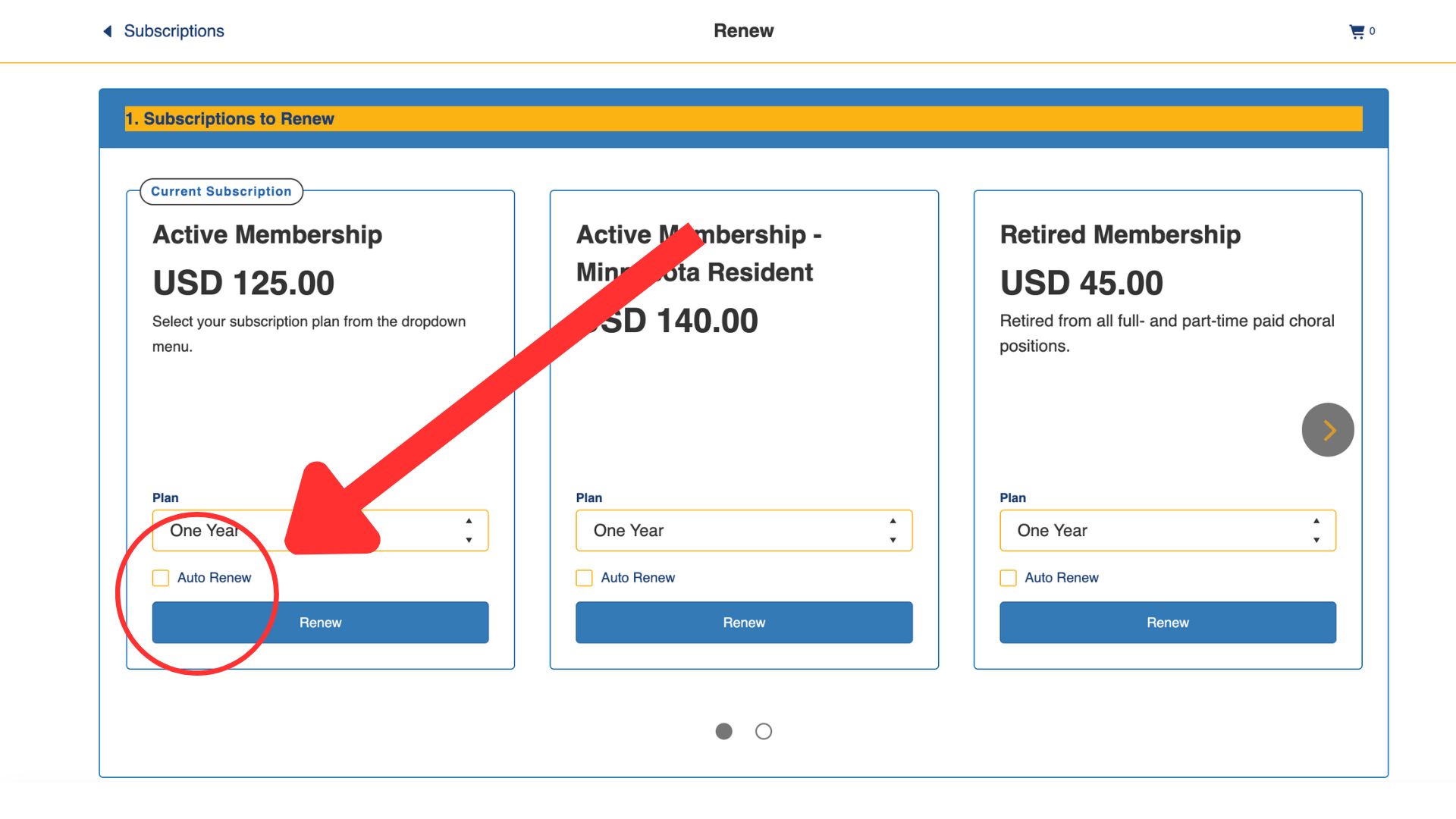
At the time of your next ACDA renewal, select the Auto Renew box and follow the instructions. You are welcome to take this step during your next renewal period. No need to rush to do it today. Just simply be aware the next time you renew, to check the box and follow the instructions.
PRO TIP: When signing up for auto-renewal, ensure you are using a credit or debit card with an expiration date that is at least a year away.
Will you alert me before you charge my credit/debit card?
Yes! We will absolutely alert you before any auto-renewal charges are processed. You will receive an email alert 30 days and again 10 days in advance of the charge being processed. This email is sent to the email address you have on file with ACDA. You can change your email address at any time by logging into your ACDA account on the ACDA website. You can cancel your auto-renewal at any time by emailing us at . Need additional assistance? Just email us at .
What happens if my payment fails?
If your payment type fails when we try to auto-renew you next year, you will receive an email that let’s you know the payment failed and your membership was not auto-renewed. At that time, you can log-in to your ACDA account, as you’ve always done, and complete the renewal process and rejoin auto-renewal again.
I don’t need to renew yet but I want to add auto-renewal now or I just renewed and this wasn’t an option. Can I add it now?
YES! Follow these steps:
- Log in to your ACDA profile
- On the left menu, click Payment Methods and add a payment method if you do not have one. Pro Tip: Ensure the expiration date on the card you want to use is after your renewal date!
- On the left menu, click Memberships
- In the middle of the screen, click “Manage” next to your listed membership
- Check to see that your Payment Method is correct.
- Click “Enable Auto Renew”
It’s that easy! Need assistance? Email us at and we can help!
Leave a Reply
You must be logged in to post a comment.